RFQs are not complicated. In most organizations, the steps are straightforward: create the request, send it to vendors, collect pricing and lead times, compare responses, and move forward with the best option.
The real friction is access. Vendors typically don’t have a clean, controlled way to view RFQ requirements and respond in a consistent format—so procurement teams default to email threads, attachments, and follow-ups. That approach works, but it introduces avoidable delays, inconsistent responses, and manual re-entry back into NetSuite.
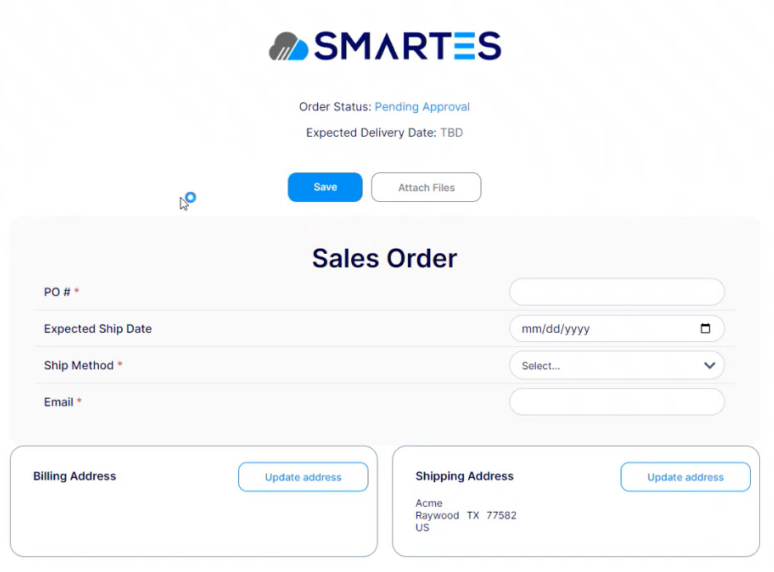
A NetSuite RFQ portal solves that gap by giving vendors an online place to view the RFQ and submit responses—while keeping NetSuite as the system of record. Smartes Online Pages provides exactly that: a vendor-friendly, secure online experience connected to your NetSuite RFQ workflow.
Understanding the Traditional RFQ Process
Before diving into the innovative solution offered by Smartes, it’s essential to understand the traditional RFQ process. Typically, this involves a business sending out a request to multiple vendors to get quotations for specific products or services. In NetSuite, this process can be managed but often involves manual data entry, tracking responses via email or other communication channels, and manually updating NetSuite records based on the received information.
The traditional method, while functional, presents several challenges:
- Time-consuming: Each step from creating to sending out RFQs and updating records is manual, leading to inefficiencies.
- Inconsistent quote formats: Each vendor replies differently, making comparisons harder.
- Missing information: Procurement spends time chasing basic gaps (lead time, freight terms, substitutions, expiration date).
- Version confusion: Multiple replies and attachments create uncertainty about the “latest” quote.
- Manual entry risk: Copying numbers into NetSuite invites errors—especially at line level.
- Limited visibility: It’s difficult to see RFQ status at a glance without opening email threads or building manual trackers.
Smartes Online Pages for RFQs
Smartes Online Pages modernizes the RFQ experience by adding a vendor-facing layer on top of NetSuite—so procurement teams can keep NetSuite as the system of record while giving vendors a clear, online way to participate. Instead of managing RFQs through scattered emails, attachments, and follow-ups, Online Pages standardizes how RFQs are created, shared, responded to, and approved. Key capabilities include:
- Automated RFQ Creation and Distribution: Businesses automate the creation of RFQs within NetSuite using predefined templates and criteria. They then distribute these RFQs automatically to selected vendors through integrated communication tools within Online Pages.
- Real-Time Interaction and Updates: Vendors view and respond to RFQs through a dedicated online portal directly linked to NetSuite. Updates or responses from vendors instantly reflect in NetSuite, giving the procurement team real-time visibility and updates.
- Enhanced Vendor Collaboration: The online portal not only allows for submitting quotes but also facilitates real-time communication between the business and its vendors. This interactive capability ensures clarity, reduces errors, and enhances relationships with vendors through efficient and transparent communication.
- Centralized Document Management: All documents related to RFQs, including vendor responses, certifications, and compliance documents, can be managed and accessed from a single location. This reduces paperwork and makes it easier to review and compare vendor quotes.
- Customizable Workflows and Approvals: Smartes Online Pages allows businesses to customize workflows according to their specific procurement rules and guidelines. Automatic routing and approval processes ensure that RFQs are handled efficiently, speeding up the procurement cycle.
Key capabilities of a NetSuite RFQ Portal
A strong NetSuite RFQ portal should do more than display a request—it should reduce ambiguity and improve response quality. Smartes Online Pages supports the RFQ use case by enabling:
Vendor online access to the RFQ
Vendors can open a dedicated page to review:
- items and requirements
- quantities and requested dates
- any terms or instructions you include
This eliminates the “please resend the RFQ” loop and keeps vendors referencing the same source.
Structured quote submission
Instead of unstructured email replies, vendors can submit quote details using defined fields. This improves:
- completeness (required fields reduce missing data)
- consistency (responses align across vendors)
- speed of comparison (less interpretation and data cleanup)
Centralized attachments
Vendors can provide supporting documents—quote PDFs, compliance certifications, spec sheets—directly in the RFQ experience. This reduces attachment sprawl across email inboxes and ensures RFQ documentation stays organized.
Procurement visibility as responses arrive
A portal-driven process makes it easier for the procurement team to see who has responded, what’s pending, and where follow-ups are needed—without manually tracking email threads.
Internal workflow support
Many teams need internal review steps before awarding: approvals, thresholds, compliance checks, or managerial signoff. A NetSuite RFQ portal supports cleaner handoffs because the RFQ information is already structured and accessible.
How the Smartes RFQ Online Page Works
Below is a practical, end-to-end flow for how Smartes Online Pages supports RFQs. This aligns with a typical vendor portal model and the RFQ walkthrough video you shared.
- Create and manage the RFQ in NetSuite: Your procurement team creates the RFQ and maintains the internal record in NetSuite, including items, quantities, and vendor targeting.
- Select the vendors to request quotes from: The buyer identifies the vendor recipients for that RFQ—based on preferred vendor lists, sourcing strategies, or vendor qualifications.
- Generate vendor access through Online Pages: Smartes Online Pages produces a vendor-facing RFQ experience. Vendors receive a secure link to access the RFQ details online—forming the NetSuite RFQ portal interaction layer.
- Vendors review the RFQ requirements online: Vendors can view what’s being requested, the line items involved, and any instructions or terms you require for the quote response.
- Vendors submit quote details in a structured format: Vendors provide pricing, lead times, and any required response fields directly through the RFQ page. Supporting files can be attached where needed.
- Procurement reviews responses without chasing email threads: Responses arrive in a consistent format, making it easier to compare vendors, spot outliers, and identify missing information early.
- Complete internal approvals and proceed with award/next steps: If approvals are required, teams can review the RFQ package with better clarity, then proceed to awarding or downstream purchasing actions.
This is the practical value of a NetSuite RFQ portal: it doesn’t reinvent procurement—it streamlines the parts that tend to bog teams down.
Conclusion
RFQs don’t need to be complex—but they do need a better vendor experience than email threads and scattered attachments. Smartes Online Pages adds that missing layer by providing a NetSuite-connected portal where vendors can review RFQ requirements, submit structured quotes, upload supporting documents, and communicate with your team in a controlled, trackable way. The result is a cleaner RFQ cycle with fewer gaps, fewer manual touchpoints, and more consistent vendor responses.
For procurement teams, this translates into real-time visibility into RFQ progress, faster vendor comparisons, and stronger process governance. If you want to see how it works end-to-end, watch the RFQ walkthrough video—or request a demo to map Online Pages to your RFQ templates, vendor communications, and approval rules.
Experience the next level of RFQ management with Smartes Online Pages, where efficiency meets innovation, driving your business towards a smarter, faster, and more responsive procurement strategy.