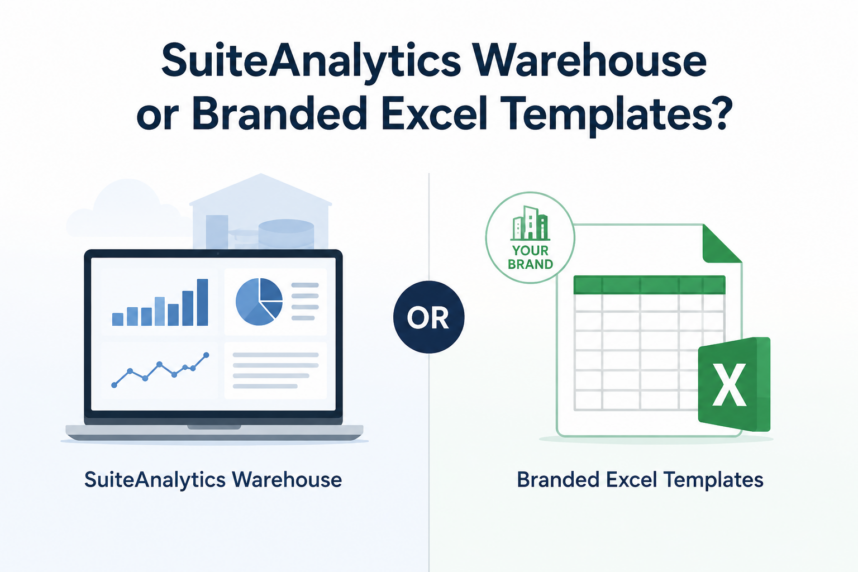
If you have been exploring SuiteAnalytics Warehouse to improve how your business extracts and presents NetSuite data, it is worth first identifying what your team actually needs.
SuiteAnalytics Warehouse supports advanced analytics, dashboards, data modelling, and broader reporting requirements. Those capabilities can provide significant value for organizations with complex business intelligence needs. However, your company may not need a complete analytics platform if the immediate goal is simply to generate structured, professional Excel files from NetSuite.
Before committing to a larger solution, consider whether Branded Excel Templates can address the specific problem. This practical NetSuite Excel export solution places current system data into predefined spreadsheets that follow your company’s preferred layouts, formulas, formatting, and branding.
The Challenge with SuiteAnalytics Warehouse
SuiteAnalytics Warehouse is designed for organizations that need a centralized analytics environment with data pipelines, dashboards, key performance indicators, visualizations, and advanced reporting capabilities.
For businesses with extensive analytical requirements, this may be the right investment. However, the scope of the platform may exceed what a company needs when its primary challenge involves creating usable Excel files from NetSuite data.
Implementing a broader analytics solution may require businesses to consider:
- Data pipeline and warehouse configuration
- Report and dashboard development
- User access and administration
- Data refresh schedules
- Training and adoption
- Additional licensing and implementation requirements
These capabilities support far more than spreadsheet generation. If employees mainly need to export NetSuite data into consistently formatted workbooks, a focused solution may offer a more direct approach.
A Simpler Way to Export NetSuite Data: Branded Excel Templates
Branded Excel Templates helps businesses create structured Excel files using current information from NetSuite. Instead of exporting raw data and manually rebuilding the spreadsheet, users can generate workbooks based on predefined templates.
Each template can contain the layout and formatting required for a specific business purpose, including:
- Company logos and brand colours
- Standard and custom NetSuite fields
- Custom headings and labels
- Formulas and calculations
- Predefined column and worksheet layouts
- Formatting for dates, currencies, totals, and other values
Once configured, the solution automatically places the appropriate NetSuite data into the workbook while maintaining the template’s design and structure.
This gives users a repeatable way to create professional Excel documents without rearranging columns, reapplying formulas, or correcting formatting after every export.
Configurable by Design: Tailor the Output to Your Needs
Different teams use NetSuite data for different purposes. A finance department may need structured schedules and reconciliations, while sales or operations teams may need customer reports, inventory lists, or transaction summaries.
Branded Excel Templates can support these requirements through configurable workbook layouts. Businesses can define which NetSuite fields should appear, where the data should go, and how the finished spreadsheet should look.
Templates can be created for different:
- NetSuite records and data sources
- Departments and business processes
- Internal and external audiences
- Reporting formats
- Customers, vendors, or business partners
Businesses can also maintain multiple templates when users need different spreadsheet formats for the same type of NetSuite information.
This flexibility allows each workbook to reflect its intended purpose rather than forcing users to restructure a basic export manually.
Why Choose Branded Excel Templates Over SuiteAnalytics Warehouse?
The better solution depends on what your business is trying to accomplish. Branded Excel Templates and SuiteAnalytics Warehouse address different levels of reporting and data analysis.
| Requirement | Branded Excel Templates | SuiteAnalytics Warehouse |
|---|---|---|
| Primary purpose | Create structured and formatted Excel files | Perform advanced analytics and business intelligence |
| Output | Branded Excel workbooks | Dashboards, KPIs, visualizations, and reports |
| Data source | Configured NetSuite records and lists | Centralized analytical data warehouse |
| Configuration | Predefined templates, fields, formulas, and layouts | Data pipelines, models, subject areas, and analytics content |
| User experience | Generate a workbook using an approved template | Analyze information through a separate analytics environment |
| Best suited for | Recurring Excel exports and business documents | Complex analysis, consolidated reporting, and executive analytics |
Branded Excel Templates does not attempt to replace the analytical capabilities of SuiteAnalytics Warehouse. Instead, it gives businesses a more focused option when the primary requirement is creating clear, consistent, and ready-to-use Excel files from NetSuite.
If your team needs enterprise dashboards, advanced visualizations, or analysis across multiple data sources, SuiteAnalytics Warehouse may remain the better fit. If employees mainly spend time rebuilding and formatting recurring NetSuite spreadsheets, Branded Excel Templates may solve the problem more directly.
Do More with Less: Easily Export NetSuite Data
Branded Excel Templates provides a practical way to improve NetSuite Excel exports without introducing an entire data warehouse or analytics platform.
Once Smartes configures the required templates, users can select the appropriate format and generate a workbook populated with current NetSuite data. The solution preserves the approved layout, branding, formulas, and formatting, helping teams create consistent spreadsheets with less manual effort.
Businesses can use Branded Excel Templates for financial schedules, sales reports, inventory lists, customer information, operational workbooks, and other recurring Excel documents. By standardizing these exports, organizations can reduce formatting errors, save time, and make NetSuite data easier to review and share.
SuiteAnalytics Warehouse remains a valuable option for organizations with advanced analytics requirements. However, if your immediate challenge is producing better Excel files from NetSuite, you may not need to begin with a full analytics platform. Contact Smartes to learn how Branded Excel Templates can help your team create structured, professional NetSuite Excel exports.